ASUS Computer Accessories
Try flexible payments withLearn how








Computer Accessories: 3 things to consider before buying
Understanding what you need in a computer accessory can save you time and money. Identify your primary use—whether it's for gaming, professional work, or casual browsing. For instance, if you're a gamer, you might prioritize accessories like a high-DPI mouse or a mechanical keyboard. Professionals might look for ergonomic designs to enhance comfort during long hours of work. By clearly defining your needs, you can narrow down options and focus on products that truly enhance your computing experience.
Before making a purchase, ensure the computer accessories are compatible with your existing devices. Verify specifications such as USB type (USB-C or USB 3.0), Bluetooth versions, or operating system compatibility. For example, if you're buying an external hard drive, check that it supports your computer's interface to avoid connectivity issues. This step helps prevent returns and ensures seamless integration into your setup.
Investing in quality accessories can lead to better performance and longevity. Research brands known for reliability in the computer accessories market. Look for customer reviews and ratings to gauge user satisfaction and product durability. Trusted brands often offer warranties or customer support, adding value to your purchase. By focusing on quality and reputable brands, you'll likely enjoy a more satisfying and trouble-free user experience.
FAQ
Computer accessories are additional devices or peripherals that enhance the functionality of a computer. These include items like keyboards, mice, webcams, and headphones. Choosing the right accessories depends on your specific needs, such as gaming, work, or general use. Consider compatibility and features before purchasing.
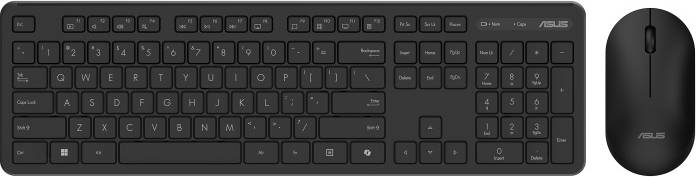
Computer accessories like keyboards come in various types, including mechanical, membrane, and ergonomic designs. Determine your typing preference and usage needs. Mechanical keyboards offer tactile feedback, while ergonomic designs reduce strain. Check for features like wireless connectivity and backlighting to match your requirements.
Computer accessories such as mice are essential for precise navigation and productivity. A good mouse offers comfort, accuracy, and customizable buttons for efficiency. Consider factors like DPI (dots per inch) settings for sensitivity and whether you prefer a wired or wireless model based on your workspace.
Computer accessories like webcams are crucial for video calls and streaming. Look for high resolution (at least 1080p), good low-light performance, and a built-in microphone. Ensure compatibility with your operating system and consider additional features like autofocus or privacy shutters to enhance usability.
Computer accessories such as noise-cancelling headphones provide an immersive audio experience by reducing ambient sounds. They are ideal if you work in noisy environments or travel frequently. Evaluate battery life, comfort level, and sound quality when selecting a pair to ensure they meet your listening preferences.
Advertisement
Popular searches in Computer Accessories
- Refurbished
- Crypto
- Remarkable 2 tablet
- Refurbished computer
- Apple pencil pro
- Apple pencil
- Google pixel tablet
- Crypto wallet
- Lenovo tab m10
- Lenovo p11 tablet
- Macbook air 2024
- Galaxy tab s9 ultra
- Kobo libra 2
- Microsoft surface go laptop
- Ipad cases for kids
- Hp pen stylus
- Amazon laptop
- Macbook air m2 13 inch
- Ipad 9th generation cases
- Ipad mini 6
- Computer Locks
- Docking Stations
- Stylus Pens
- Tablet Covers
- Stylus Pen Accessories
- Services
- Tablet Cases
- Sleeves
- Bumper Cases
- Samsung Stylus Pens
- HP Computer Accessories
- Shein Tablet Covers
- Dell Docking Stations
- Tablet Cases
- Tablet Cases
- Lenovo Stylus Pens
- Shein Computer Accessories
- Tablet Covers
- JeTech Tablet Cases
- Stylus Pens
A $1,000 purchase might cost $173.53 per month over 6 months at 13.99% APR. Annual Percentage Rate (APR) ranges from 0.00%-35.99% APR based on creditworthiness, term length, and subject to credit approval, resulting in, for example, 3 equal monthly payments of $333.33 at 0.00% APR to $353.52 at 35.99% APR per $1,000 borrowed. Minimum purchase amount and down payment may be required. Estimation of monthly payment excludes potential tax and shipping costs. Monthly financing through Klarna issued by WebBank.
See payment terms. A higher initial payment may be required for some consumers. CA resident loans made or arranged pursuant to a California Financing Law license. NMLS #1353190.
Images on this website may be AI-generated.